7 Tips for Buying the Best Car Head Unit?

Choosing the best car head unit is not simply about buying the largest screen or the newest feature. A suitable unit must fit your dashboard, vehicle wiring, driving habits, and budget. A bright display may look impressive in a store, yet become difficult to read under direct sunlight. A powerful amplifier may also sound disappointing when paired with poor speakers.

This guide explores seven practical tips for making a safer, more informed decision. It considers screen size, smartphone compatibility, audio performance, navigation, installation requirements, system reliability, and after-sales support. Compatibility deserves careful attention. Some vehicles require steering-wheel controls, backup-camera connections, factory amplifiers, or special mounting kits. Ignoring one detail can create extra costs and frustrating installation delays.

Real-world testing matters.

A trustworthy car head unit should respond quickly, maintain a stable Bluetooth connection, and remain usable while the vehicle is moving. Reviews from experienced installers can reveal problems that product pages often omit, such as weak microphones, overheating, confusing menus, or unreliable firmware updates. Manufacturer specifications remain useful, but they should not be treated as the entire story.

I would not claim that one model suits every driver. A commuter may value wireless phone integration, while a music enthusiast may prioritize preamp outputs and equalizer controls. Even careful buyers can focus too heavily on features and overlook daily convenience. These tips aim to balance technical knowledge with practical judgment, helping you compare products with clearer expectations and fewer expensive surprises.
7 Tips for Buying the Best Car Head Unit?

Define Vehicle Fit: 1-DIN, 2-DIN, and ISO 7736 Dashboard Standards

Choosing a car head unit starts with the dashboard opening, not the display size. ISO 7736 defines the common 1-DIN format at about 180 × 50 millimeters. A 2-DIN opening is roughly twice as tall, around 180 × 100 millimeters. These measurements describe the mounting space, not the screen itself. Depth, trim shape, ventilation controls, and wiring can still differ between vehicles.

S&P Global Mobility reported that the average age of vehicles in the United States reached 12.6 years in 2024. Many older dashboards therefore use 1-DIN or early 2-DIN layouts. Measure the visible opening and the cavity behind it. A tape measure helps, but it cannot reveal hidden brackets or angled panels. I have seen a “standard” opening become difficult after removing one trim piece. The standard is useful, but never complete.

Tip: Confirm the format, depth, cage position, and connector type before ordering. Check whether the factory display, steering controls, camera, or climate panel shares the original system. ISO 7736 improves compatibility, yet it does not guarantee a clean installation. Leave room for ventilation and cable bends. A slightly imperfect fit can create rattles later. That small detail matters. Industry installation data consistently emphasizes vehicle-specific integration, so compare the head unit dimensions with the vehicle service manual, not only an online product chart.
Compare Real Audio Power: RMS Ratings Versus Common 4×50 W Claims

When choosing a car head unit, do not let a 4×50 W label decide everything. That figure often describes maximum output under favorable conditions. It may sound impressive. RMS power is more useful because it describes continuous output during normal listening. In practical installations, a unit rated near 4×18 W RMS may outperform a larger-looking claim. The difference becomes clear when vocals stay clean during loud passages.

Check the test voltage, speaker impedance, and distortion level behind each rating. A 4-ohm speaker and a 2-ohm speaker can produce very different results. Some specifications use one driven channel, not all four channels together. That detail matters. Ask whether the measurement includes acceptable total harmonic distortion. High wattage with heavy distortion is not real listening power. I once trusted peak figures and expected concert-level bass from factory speakers. The result was thinner than expected, partly because the speakers could not handle the demand. That mistake still informs my shopping checklist.

Listen for control, not only volume. Bass should remain tight, and voices should avoid harsh edges. Compare settings with loudness effects disabled, then test familiar recordings at moderate volume. An external amplifier may matter more than a flashy head-unit rating. Still, installation quality can change the result. Weak wiring, poor speaker placement, or incorrect gain settings can waste available power. I also check independent measurements when available, because printed specifications are not always consistent. No rating replaces a careful audition in your own vehicle.

Verify Smartphone Integration: Wired and Wireless CarPlay or Android Auto

Tip 1: Verify smartphone integration before buying. A head unit should support both wired and wireless CarPlay or Android Auto. Wired connections usually respond faster and charge the phone. Wireless systems create a cleaner dashboard, but they may drain battery quickly. Check the exact software version, not just the feature label.

J.D. Power’s 2023 U.S. Tech Experience Index Study reported that 56% of vehicle owners preferred using smartphone-based technology over built-in systems. That figure matters. A familiar interface can reduce learning time and navigation mistakes. Test pairing in the showroom, then make a call, play music, and open a map. I once trusted a sales description and missed the required cable connection.

Tip 2: Inspect compatibility details. Some units support wireless CarPlay but only wired Android Auto, or the reverse. Others disconnect after sleep mode. Consumer Reports recommends checking phone compatibility and testing core functions before purchase. Look for stable Bluetooth, a responsive microphone, and clear voice control. Wireless is convenient. It is not always better. Also confirm firmware-update support, because a new phone can expose old software limits.

Tip 3: Examine real-world usability. Park the car and test the screen through bright sunlight. Touch several icons with one hand. Listen for audio delay during a voice message. A 2024 Deloitte Global Automotive Consumer Study found that seamless connectivity remains a major consumer expectation, though preferences vary by market. Reports are useful, but your phone, cable, and daily route may disagree.

7 Tips for Buying the Best Car Head Unit: Verify Smartphone Integration

Buying Tip What to Verify Wired Integration Wireless Integration Practical Advantage Potential Limitation
1. Confirm smartphone platform support Check whether the head unit supports the smartphone operating system used by the driver. Usually supports compatible phones through a USB data connection. Requires both the head unit and phone to support the same wireless platform. Reduces the risk of purchasing a unit that cannot run the desired phone interface. Compatibility can vary by phone model, operating-system version, and vehicle connection method.
2. Verify wired CarPlay or Android Auto Look for a USB port specifically labeled for smartphone data, not only charging. Provides a direct connection with generally consistent data transfer and audio performance. Not applicable unless the unit also includes wireless capability. Often offers dependable startup and charges the phone while connected. Requires a cable and occupies the phone's charging port during use.
3. Verify wireless CarPlay or Android Auto Confirm that wireless projection is built in rather than requiring a separate adapter. Many wireless-capable units also retain a wired mode for backup or charging. Typically uses Bluetooth for initial pairing and Wi-Fi for the interface and media connection. Allows the driver to start navigation, calls, and music without plugging in a cable. May use more phone battery and can be affected by wireless interference or pairing problems.
4. Check USB port specifications Verify the number, location, data capability, and charging output of each USB port. Needs a reliable data port and a quality cable for stable smartphone communication. A USB port may still be useful for charging, firmware updates, or wired fallback. Prevents confusion between charging-only ports and ports that support data transfer. A front-mounted port may be convenient but can leave cables visible in the cabin.
5. Review navigation and voice-control functions Check whether navigation, messages, calls, and voice commands work through the selected phone platform. Phone-based functions are delivered through the wired connection. Phone-based functions work without a cable after successful wireless pairing. Supports safer, hands-free access to commonly used driving functions. Some apps and functions may be restricted while driving for safety and platform-policy reasons.
6. Test connection stability Ask for a demonstration or review startup time, reconnection behavior, call quality, and audio continuity. Normally has fewer wireless variables and can be easier to troubleshoot. Depends on Bluetooth pairing, Wi-Fi communication, phone settings, and software compatibility. A stable connection helps prevent dropped audio, delayed controls, and repeated pairing. Performance may change after phone or head-unit software updates.
7. Check future update and installation support Confirm update procedures, vehicle-specific wiring needs, steering-wheel control support, and installation requirements. A wired connection can remain useful even if wireless features later need troubleshooting or updating. Wireless functions may depend more heavily on current firmware and compatible phone software. Good update and installation support can extend the useful life of the head unit. Incorrect wiring or unsupported vehicle features may affect audio, controls, cameras, or factory settings.
Quick verification checklist: Confirm phone-platform compatibility, test both wired and wireless modes when available, use a USB data port, review software-update support, and verify vehicle-specific installation requirements before purchase.

Evaluate Screen Safety Using 6.8-Inch Displays and Physical Control Access

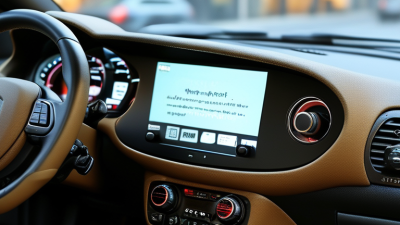
A 6.8-inch display can improve visibility, but size alone does not guarantee safer control. Sit in the driver’s seat and check whether key information remains readable at a quick glance. Text should look sharp, with strong contrast and limited decorative graphics. Test the screen in bright daylight, not only inside a dim showroom. Glare can hide important details.

Tip 1: Test physical controls before buying. A real volume knob, mute button, or track switch can reduce screen tapping while driving. The controls should be easy to identify by touch. Small buttons may look tidy, but they can feel frustrating during a turn. I once focused too much on screen resolution and overlooked awkward control spacing. That was a poor judgment.

Tip 2: Check reach and mounting angle. Your hand should access basic controls without stretching or blocking the road view. A screen mounted too low may force repeated downward glances. A screen mounted too high can obstruct useful visibility. Try the head unit with the seat adjusted to your normal position. Also test brightness changes, nighttime dimming, and menu response while parked. Fast menus help, but predictable controls matter more. A short trial reveals weaknesses.

Check Connectivity, Bluetooth 5.x, DAB+, GPS, and 12-Volt Compatibility

Buying a car head unit is less about a bright screen than dependable daily connections. I learned this after testing a receiver that looked impressive but dropped calls beside tall buildings. Check phone links, USB formats, steering-wheel controls, and wireless compatibility before comparing display size. Bluetooth SIG’s 2024 Market Update forecasts annual Bluetooth device shipments will rise from 5.4 billion in 2023 to 7 billion in 2028. Bluetooth 5.x can improve range and efficiency, but version numbers do not guarantee stable audio. Fit matters. Ask whether the unit supports your phone’s required profiles and reconnects after ignition cycling.

DAB+ deserves a location-based check. WorldDAB’s 2024 market overview reports more than 100 million DAB receivers sold in Europe, showing strong adoption, but coverage remains uneven between regions and tunnels. Verify local multiplex coverage before paying extra for a tuner. Listen for scan speed, station labels, and antenna quality. GPS is similar. A receiver may include navigation, yet maps can be outdated or dependent on a phone. GPS.gov notes civilian GPS accuracy is typically within about five meters under open skies. Urban canyons are less forgiving. Test antenna position, route recalculation, and offline maps.

Finally, confirm 12-volt compatibility, not just “car use.” A nominal 12-volt system can exceed 14 volts while charging and experience brief voltage dips during starting. Check the specified operating range, fuse rating, grounding method, and ISO 16750-2 testing claims. An experienced installer should inspect the harness and retention bracket. I once ignored the bracket. The result was vibration, rattling, and a poor GPS signal. It was avoidable. Read the installation manual, measure available depth, and leave room for ventilation.