What Is a Car Head Unit and How Does It Work?
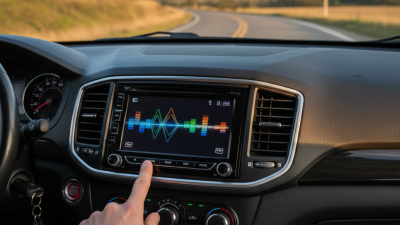
A car head unit is the control center built into a vehicle’s dashboard. It combines the screen, audio controls, radio tuner, navigation, and smartphone connections in one system. In older cars, this device mainly played AM, FM, CDs, or music from an auxiliary cable. Modern units can support Bluetooth, Apple CarPlay, Android Auto, voice commands, cameras, and online services. It is more than a display. It receives information, processes commands, and sends signals to speakers or other vehicle systems. Look closely, and you may notice a touchscreen, volume knob, microphone, USB port, and small status icons working together.
The basic process is practical. You tap an option, the unit interprets the command, and its software requests the selected function. For example, pressing a music icon may connect to your phone through Bluetooth or a wired USB link. The head unit then decodes the audio file and sends an electrical signal to the amplifier. The amplifier increases that signal before the speakers produce sound. Simple enough. Yet, the exact setup varies by vehicle, manufacturer, and software version. Some factory systems also communicate with steering-wheel buttons, parking sensors, climate controls, or safety alerts. This guide explains those connections in clear terms and separates common features from optional upgrades. It also considers real driving conditions, such as screen glare, delayed Bluetooth pairing, and confusing menus. These details matter. A car head unit may look like a tablet, but replacing it is not always straightforward. Wiring, dashboard fit, vehicle settings, and professional installation can affect the final result. Mistakes happen, so specifications should be checked carefully.
What a Car Head Unit Is and What It Controls
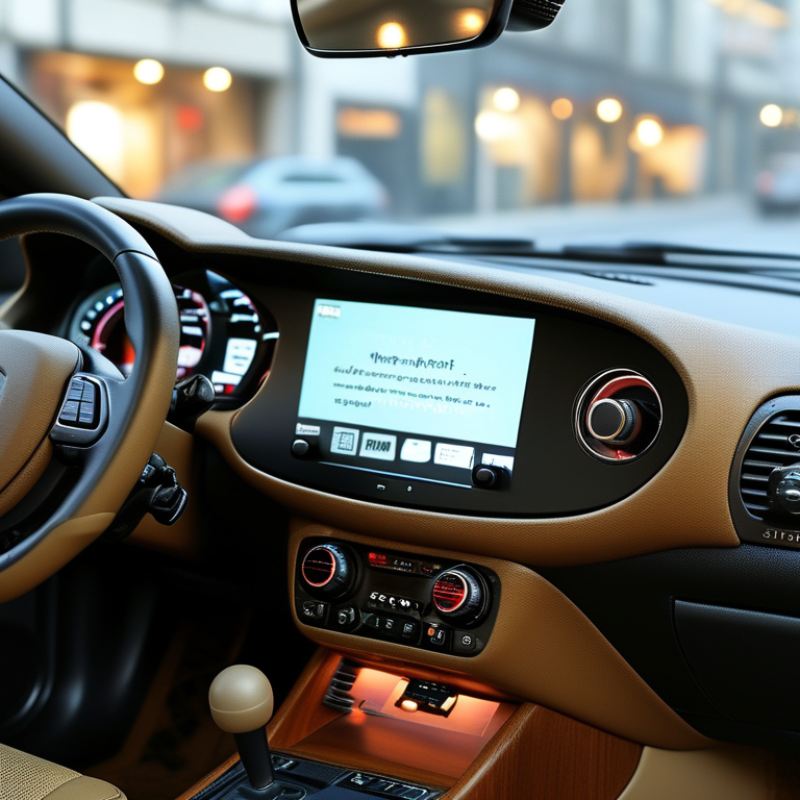
A car head unit is the cabin’s central control computer. It receives touch, button, voice, camera, and phone inputs. Then it sends instructions to audio, navigation, calls, climate menus, and selected vehicle settings. In newer vehicles, it also displays charging status, driver-assistance alerts, and service messages.
The screen is only the visible part. A processor, operating system, amplifier interface, and network connections work behind it.
McKinsey’s 2023 Automotive Software and Electronics Report values the broader market at $238 billion in 2020. It projects $462 billion by 2030. That growth explains the head unit’s expanding role.
In practical use, the head unit acts like a traffic controller. A steering-wheel button changes volume. A microphone captures a command. The system routes it to the correct module. A rear-camera image can appear within seconds, while audio is muted.
Small delays matter. Deloitte’s 2024 Global Automotive Consumer Study surveyed more than 27,000 consumers across 26 countries. Consumers still weigh digital features alongside safety and reliability, but enthusiasm differs across markets.
More functions do not always mean better control. An overloaded menu can distract a driver or hide a basic setting.
Workshop checks often reveal a loose connector or weak network signal instead of a failed display. Diagnosis needs patience. Check the network, not just the screen.
The Main Components Inside a Car Head Unit
A car head unit is the control center mounted in the dashboard. It manages sound, navigation, phone calls, vehicle settings, and sometimes camera views. Inside, a small processor coordinates these tasks. It receives signals from touch controls, buttons, microphones, and connected devices. The display then presents menus, maps, and warnings in real time.
Several components work together. A tuner receives broadcast signals, while a digital audio processor adjusts volume, balance, and equalization. The amplifier strengthens sound before it reaches the vehicle’s speakers. Internal memory stores system software and user settings.
USB, Bluetooth, and wireless modules handle external connections. A wiring interface communicates with steering-wheel controls and selected vehicle data. Cooling vents or heat sinks reduce temperature, although poor airflow can still cause slow responses. I have seen units behave unpredictably after installation because one connector was only partly seated. Small errors matter.
Tips: Check the wiring diagram before removing the original unit. Keep ventilation openings clear. Test audio, microphone input, steering controls, and camera signals separately. Do not assume every connector has the same function. A professional installer should verify voltage, grounding, and compatibility with the vehicle’s electrical system. Software updates can improve stability, but an update should not interrupt power. I once treated a frozen screen as a software fault; the actual problem was a weak ground connection. That mistake was avoidable.
How the Head Unit Connects With Phones and Other Devices
A car head unit is the vehicle’s control center for sound, navigation, calls, and connected services. It links with phones through Bluetooth, USB cables, or wireless connections. Bluetooth usually handles calls and music, while USB can support charging and data transfer. Some systems also mirror selected phone functions on the dashboard screen.
The connection begins with pairing. You confirm a code, allow selected permissions, and choose the phone as an audio source. After that, the head unit can route a caller’s voice through the cabin speakers and send microphone audio back to the phone. Steering-wheel buttons may change tracks or answer calls. Small details matter. A poor cable can interrupt data transfer, and wireless connections may lag in crowded signal areas.
Compatibility is rarely perfect. Different phone software versions, vehicle systems, and cable standards can create unexpected limits. A phone may charge but fail to display navigation. Another may connect for calls but not stream audio. Checking the vehicle manual and updating both devices can solve some problems. I would also review contact and message permissions before accepting them. Convenience is useful, but automatic access is not always necessary. Keep the phone secured before driving, and test new connections while parked. Personally, I find wired connections more predictable, although wireless pairing feels cleaner and easier for short trips.
Common Head Unit Features and Upgrade Options
A car head unit is the dashboard’s control center. It manages audio, calls, navigation, cameras, and vehicle settings. Common features now include touchscreen displays, Bluetooth, voice control, smartphone projection, and digital radio. Some units also offer built-in navigation and multiple camera inputs. In daily use, a responsive interface matters more than a flashy screen. J.D. Power’s 2024 U.S. Initial Quality Study reported 49.1 infotainment problems per 100 vehicles, making infotainment the most problematic category. That figure deserves attention.
Upgrade paths vary by vehicle age and wiring design. A modern replacement may add wireless phone projection, a brighter display, hands-free calling, and improved microphone performance. A digital signal processor can refine sound, while preamp outputs support a separate amplifier. Retaining the factory backup camera and steering-wheel controls usually requires a compatible wiring harness or interface module. Small details matter.
Fitment is not always simple. Some vehicles connect climate controls or safety settings through the original unit. Removing it may create unexpected limitations. S&P Global Mobility reported that the average U.S. vehicle age reached 12.6 years in 2024, so older cars remain practical upgrade candidates. Still, an expensive screen cannot fix poor speakers or weak wiring. I have seen upgrades judged by appearance alone. That is a mistake. Check dash dimensions, power requirements, software support, and installer quality before choosing.
What Is a Car Head Unit and How Does It Work?
A car head unit is the vehicle’s central interface for audio, navigation, communication, and connected services. It receives input from sources such as USB devices, Bluetooth, radio tuners, and network connections, then processes and sends audio or visual signals to the vehicle’s speakers and display. The chart compares the theoretical maximum data rates of common connectivity technologies used in head-unit systems and upgrade solutions. Actual performance depends on hardware, software, signal quality, and vehicle integration.