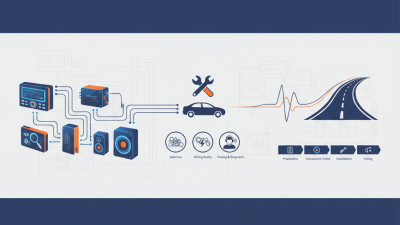
Car tunes usually refer to changes made to a vehicle’s engine control software or supporting hardware. These adjustments can affect fuel delivery, ignition timing, throttle response, and turbocharger pressure. The aim may be smoother acceleration, improved efficiency, or more power. Results depend on the vehicle, its condition, and the calibration used. No two cars respond exactly alike.
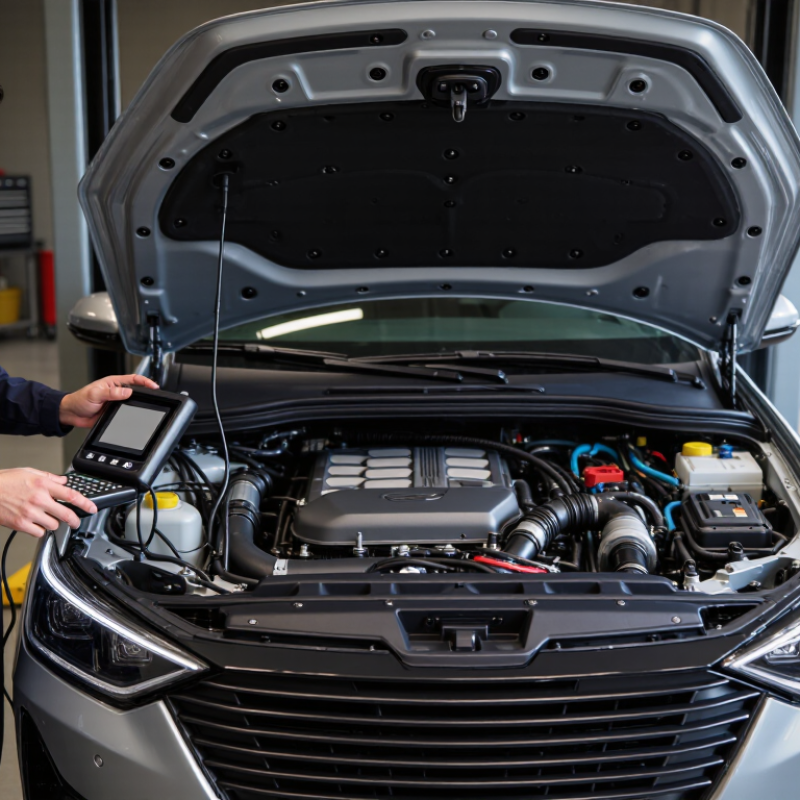
Performance writer and engine builder Richard Holdener’s published testing offers a useful principle, paraphrased here: tuning works best when the whole engine setup is considered, not just one power number. A technician may connect diagnostic equipment, review sensor readings, and adjust settings while monitoring engine behavior. Small changes matter. A dashboard warning, unusual knock, or rising temperature can signal trouble, not progress. A tune should match the car’s hardware and remain compatible with applicable emissions and road-use requirements. Check the details.
This guide explains what car tunes are, how electronic control units use sensor data, and what happens during a typical calibration. It also covers common goals, possible trade-offs, and questions to ask a qualified tuner. A dyno chart can look convincing, but it cannot tell the whole story about reliability or everyday drivability. That part deserves a closer look. Even careful tuning has limits, and I would not treat a promised gain as guaranteed. The sensible starting point is understanding the vehicle before changing its settings.
Car tunes are the music, radio, or other audio a driver chooses to play in a vehicle. The term can also describe how sound settings are adjusted, such as changing volume or tone. In practice, a car tune is not just a song. It is part of the cabin’s sound environment, shaped by road noise, speaker placement, and personal preference.
Music can make a familiar commute feel calmer or help a long drive seem less monotonous. A steady, moderate volume also lets drivers hear navigation prompts and important sounds outside the car. But reactions differ. A lively playlist may feel energizing to one person and distracting to another. I have found that the same track can feel pleasant on a quiet street and overwhelming on a noisy highway. That is worth noticing.
Tips: Keep the volume low enough to hear traffic and alerts. Choose music that does not pull your attention from the road. If a song makes you tense or encourages rushed driving, skip it. A quiet cabin is a valid choice, too.
| Dimension | What It Means | How It Works | Role in the Driving Experience |
|---|---|---|---|
| Car tunes | Music or other audio played inside a vehicle. | Audio is sent from a source through the vehicle’s audio system and played through its speakers. | Can make a journey more enjoyable, provide entertainment, or create a preferred atmosphere. |
| Audio source | The place or service from which the sound originates, such as broadcast radio, a connected device, or stored audio files. | The vehicle system receives an audio signal through a supported connection or receiver. | Gives drivers and passengers access to music, spoken programs, and other audio content. |
| Audio receiver and controls | The system interface used to select audio, adjust settings, and control playback. | It processes incoming audio and sends it to the amplification and speaker system. | Allows listeners to change sources and settings, ideally using controls that do not distract from driving. |
| Speakers | Components that convert electrical audio signals into sound waves. | Speaker cones move in response to the signal, creating changes in air pressure that the ear hears as sound. | Speaker placement and cabin acoustics affect how clearly and evenly sound is heard around the vehicle. |
| Amplification | Increasing the strength of an audio signal so it can drive speakers. | An amplifier supplies the electrical power needed for speakers to reproduce sound at the selected level. | Helps provide audible playback, though increasing volume excessively can cause distortion or make outside sounds harder to hear. |
| Equalization | Adjusting the relative levels of low, middle, and high audio frequencies. | Audio controls change frequency bands to alter the tonal balance of playback. | Can help listeners tailor sound to their preferences and to the way the vehicle cabin affects audio. |
| Cabin acoustics | The way sound behaves inside the vehicle’s enclosed passenger space. | Seats, windows, interior materials, and speaker locations can reflect or absorb sound differently. | Influences perceived clarity, bass, and balance; the same audio may sound different in another vehicle. |
| Road and traffic noise | Sound from tires, wind, the engine, and the surrounding environment. | These sounds can mask parts of the audio, particularly when they overlap with music or speech frequencies. | Listeners may be tempted to raise the volume, so keeping it moderate helps preserve awareness of the surroundings. |
| Listening volume | The perceived loudness of audio in the cabin. | Volume controls change the playback level; perceived loudness also depends on the audio content and background noise. | A comfortable level supports listening without unnecessarily reducing awareness of horns, sirens, or other road sounds. |
| Driver attention | The attention needed to operate the vehicle safely. | Searching for audio, adjusting settings, or interacting with a device can divert visual, manual, or mental attention. | Choosing audio before driving and using simple controls while on the road can help limit distraction. |