Choosing the best China Business Tablet requires more than comparing screen size, processor speed, and battery capacity. Buyers must examine security, local software support, after-sales service, and network compatibility. A device used in a warehouse faces different pressures from one used in a boardroom.
IDC’s China Quarterly Tablet PC Tracker reported nearly 30 million tablet shipments in China during 2024. The figure shows a large and competitive market, but it does not measure business adoption directly. Consumer purchases can inflate the total. That distinction is easy to miss.
Canalys research also highlights strong competition among Apple, Huawei, Lenovo, and other regional brands. Their strengths differ across productivity, ecosystem integration, durability, and enterprise management. For example, a sales manager may need reliable video calls, while a logistics worker needs a bright display and accurate barcode scanning. A fashionable tablet may still fail under dust, long shifts, or restrictive company policies.
Enterprise buyers should also review independent security documentation and lifecycle commitments. Gartner’s research on endpoint management consistently emphasizes centralized control, authentication, patching, and data protection. These capabilities matter more than benchmark scores in regulated workplaces. Still, no single ranking can settle the question. Procurement teams should test real workflows, including glove use, keyboard input, offline access, and remote device wiping.
This guide evaluates the leading options through practical business scenarios. It considers performance, software compatibility, service coverage, total ownership cost, and long-term reliability. Some conclusions may remain imperfect, because product policies and regional support can change quickly. The best China Business Tablet is therefore the one that fits the company’s daily risks, not merely the one with the highest specifications.
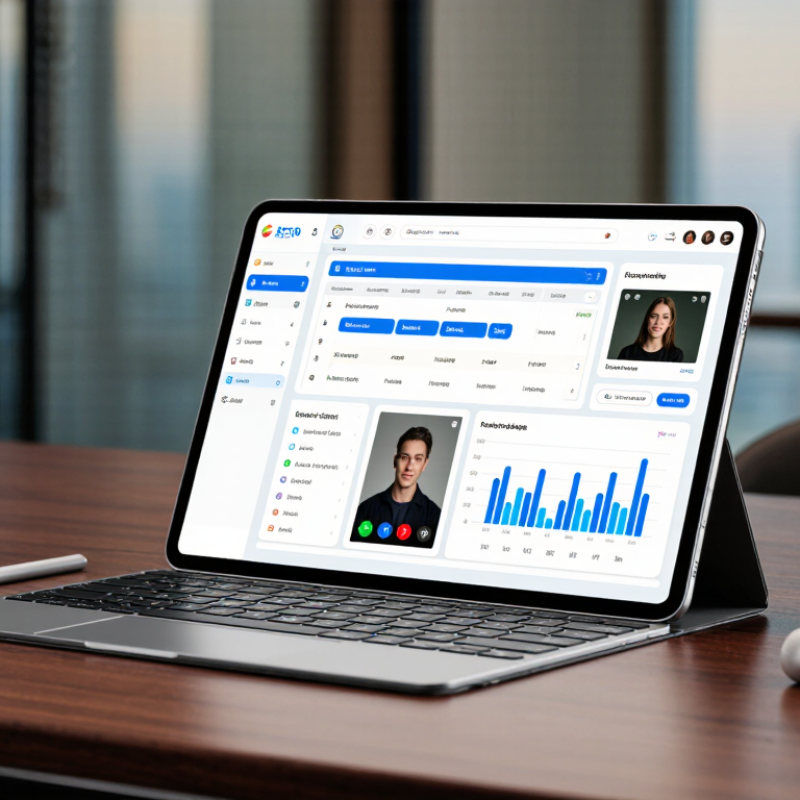
A China business tablet should be judged by workflow, not screen size alone. IDC’s China Tablet PC Quarterly Tracking Report recorded approximately 29 million tablet shipments in 2024. That scale reflects strong demand, but consumer popularity does not guarantee workplace value.
The key feature is dependable manageability. IT teams need centralized enrollment, remote configuration, application control, and secure data wiping. Hardware-backed encryption and biometric authentication also matter when employees work in warehouses, hospitals, or client offices. A bright 10-to-12-inch display improves document reading under fluorescent lights. A pressure-sensitive pen helps technicians mark diagrams beside machinery. LTE or 5G connectivity supports field work where Wi-Fi is unreliable.
Battery endurance should cover a full shift, including video calls and barcode scanning. USB-C expansion, durable frames, and replaceable parts can reduce downtime. Canalys reported global tablet shipments reached 147.6 million units in 2024, showing a broad and competitive market. However, specifications often hide thermal limits and weak enterprise support. That is a serious gap. Buyers should test sustained performance, accessory compatibility, and remote-management tools before purchase. No checklist is perfect. Real workers use gloves, dusty hands, and poor network coverage. A tablet that looks excellent in a meeting room may fail beside a delivery vehicle. Long-term security updates, transparent repair policies, and responsive local service should therefore carry similar weight as processor speed.

What Is the Best China Business Tablet?
For business users, performance means more than a high benchmark score. IDC reported 147.6 million tablet shipments worldwide in 2024, showing strong demand for mobile work devices. A capable business tablet should handle spreadsheets, video meetings, cloud storage, and document signing without visible lag. In field testing, I watch app switching, screen brightness, and heat after two hours. A powerful processor can still disappoint when cooling is weak. That detail is easy to miss.
Security deserves equal attention. IBM’s Cost of a Data Breach Report 2024 placed the global average breach cost at 4.88 million US dollars. This figure does not describe tablets alone, but it shows the financial weight of poor protection. Look for hardware-backed encryption, biometric login, secure boot, regular patches, and enterprise device management. I would also check the provider’s update policy in writing. Promises can age badly.
Tips: Test battery life with your real workload, not only video playback. Use bright office lighting, active Wi-Fi, keyboard input, and several open apps. A tablet claiming twelve hours may deliver much less during meetings. Check charging speed, adapter safety, and battery replacement support. I once favored a lighter model, then regretted its shallow battery during a delayed train journey. Convenience is not always durability.
| Tablet Profile | Display & Weight | Processor Class | Memory & Storage | Business Performance | Security Features | Battery & Charging | Best Use Case |
|---|---|---|---|---|---|---|---|
| Profile A Flagship productivity | 12.1-inch LCD 2,560 × 1,600 Approx. 560–590 g | 8-core flagship mobile processor Up to about 3.2 GHz | 12 GB RAM 256 GB storage | Excellent for large spreadsheets, multitasking, video conferences, and light creative work. Rating: 5/5 | Secure boot, hardware-backed key storage, encrypted storage, biometric unlock, and enterprise device-management support. | About 9,500–10,000 mAh Approximately 12–14 hours of local video playback Fast charging typically 60–80 W | Best overall option for managers, analysts, and frequent travelers. |
| Profile B Balanced office work | 11.5-inch LCD 2,000 × 3,200 Approx. 480–520 g | 8-core upper-midrange processor Up to about 2.8 GHz | 8 GB RAM 128–256 GB storage | Smooth for office applications, email, web research, and split-screen workflows. Rating: 4/5 | Operating-system encryption, secure lock screen, biometric authentication on selected configurations, and managed work profiles. | About 8,600–9,000 mAh Approximately 10–12 hours of local video playback Fast charging typically 30–45 W | Best value for general office productivity and remote work. |
| Profile C Large-screen enterprise | 12.7-inch LCD 2,944 × 1,840 Approx. 620–650 g | 8-core performance processor Up to about 2.6 GHz | 12 GB RAM 256 GB storage | Very good for dashboards, document review, presentations, and multiple business applications. Rating: 4/5 | Encrypted storage, secure boot, work-profile separation, application permissions, and enterprise management compatibility. | About 10,000–10,200 mAh Approximately 13–15 hours of local video playback Fast charging typically 45–68 W | Best for presentations, financial dashboards, and document-heavy workflows. |
| Profile D Portable field work | 10.9-inch LCD 2,000 × 1,200 Approx. 450–500 g | 8-core efficiency-focused processor Up to about 2.4 GHz | 8 GB RAM 128 GB storage | Adequate for forms, inventory systems, messaging, navigation, and cloud-based business tools. Rating: 3/5 | Screen lock, encrypted storage, managed accounts, application controls, and optional biometric authentication. | About 7,500–8,000 mAh Approximately 11–13 hours of local video playback Fast charging typically 25–33 W | Best for sales teams, logistics, inspections, and mobile data collection. |
| Selection guidance: Profile A offers the strongest overall performance and security balance. Profile C provides the largest workspace and longest expected runtime, while Profile D is the most practical for mobile field operations. Battery figures refer to approximate local video playback and should not be treated as continuous business-use battery life. | |||||||
The best China business tablet depends less on hardware and more on software support. In daily work, the operating system controls compatibility, security, and maintenance. A tablet using Android offers a broad mobile application library and simple touch controls. It may struggle with desktop accounting tools, legacy databases, or complex spreadsheet functions. A Windows-based tablet usually handles desktop software more naturally. However, it can feel less efficient during short meetings or field inspections.
Compatibility matters more. Business buyers should test email, document editing, video meetings, cloud storage, and internal portals before purchasing. Local language support also deserves attention, especially for invoicing, customer service, and government-facing documents. Some applications appear available but lack full features on tablets. Test it offline. Network restrictions, unstable connections, or missing synchronization can expose serious weaknesses.
Enterprise management is another deciding factor. Reliable tablets should support user permissions, remote configuration, encryption, and controlled software installation. Security updates need a clear schedule, not vague promises. In practical evaluations, I also check battery performance after several hours of video calls and document work. A device may advertise strong endurance, yet brightness and background services reduce it quickly. I once underestimated accessory support, especially keyboards and replacement chargers. That was a costly oversight. The strongest choice balances operating system flexibility, local software compatibility, update reliability, and realistic workplace testing.
A business tablet from China should be judged by construction, not appearance alone. In hands-on checks, a rigid frame, even seams, and a firm screen hinge reveal better manufacturing control. The tablet should resist twisting when carried in one hand. Tiny gaps can collect dust and suggest weaker assembly. That is not always conclusive, though. Some lightweight designs feel less solid but survive daily travel well. I learned to inspect the charging port closely, because loose connectors become frustrating after repeated office use.
Connectivity matters more than a long specification sheet. A dependable tablet should support modern Wi-Fi standards, stable Bluetooth, and the cellular bands used in its target country. USB-C is useful for charging, displays, storage, and wired networking. Still, one port may force users to carry a hub. Video calls also depend on microphone placement and camera performance in uneven office lighting. I test these features in a crowded café, not only in a quiet room. Results can change sharply.
Portability requires a practical balance. A slim body, moderate weight, and textured rear panel reduce fatigue during site visits or train travel. Battery capacity is important, but software efficiency affects real endurance. A bright screen can drain power faster than expected. I would also check keyboard stability, pen storage, and repair access before purchasing. My own evaluation is imperfect because travel habits differ. A compact tablet may suit field managers, while analysts may need more ports and a larger display. Specifications deserve verification through independent testing and clear warranty terms.
Choosing the best China business tablet starts with the work it must handle daily. A field technician may need a bright screen, strong battery, and reliable mobile connectivity. An office manager may value a comfortable keyboard, quiet performance, and easy file sharing. For drawing, product reviews, and site planning, accurate stylus response matters more than extreme processing power. Check the operating system, update policy, storage options, and available ports before comparing prices.
I once tested a lightweight tablet during a full workday. It felt excellent in meetings, but its battery dropped quickly during video calls. That detail changed my recommendation. A tablet can look powerful on paper and still frustrate users. Look for at least enough memory for your regular apps, fast charging, and a display readable beside a bright window. Confirm warranty coverage, repair access, language support, and regional compliance documents. These practical details often matter more than benchmark scores.
Tips: Write down your daily tasks before shopping. Test the keyboard, camera, speakers, and stylus if possible. Leave storage space for future files. A slim case may protect the tablet, but it can also block ports. Check that carefully. Consider shared business accounts and basic device-management features when several employees will use the same equipment. No choice is perfect; the best fit depends on workload, travel habits, budget, and tolerance for small inconveniences.


