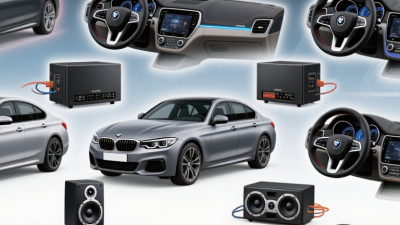
Choosing among the 2026 best car stereo systems is not just a matter of picking the biggest screen or the highest power rating. The right unit should fit your dashboard, work with your phone, and remain easy to use while parked or on the road. A clear display and responsive controls help, but they cannot fix poor speaker placement or tired factory speakers. Bigger is not always better. Small details matter.
This guide compares car stereo systems by practical features, including smartphone connectivity, navigation, audio adjustments, screen visibility, and installation needs. It also considers value, because a costly receiver may not make sense if your car needs extra adapters or professional fitting. Fit comes first. Check your vehicle’s dashboard dimensions and wiring requirements before buying; compatibility can vary even between similar model years. Specifications and owner feedback are useful, but neither tells the whole story. Sound quality depends on the speakers, cabin, and personal taste, so a feature list alone can be misleading. Even careful research leaves room for judgment. The best choice is the one that suits your vehicle, listening habits, and budget—not simply the model with the longest feature list.
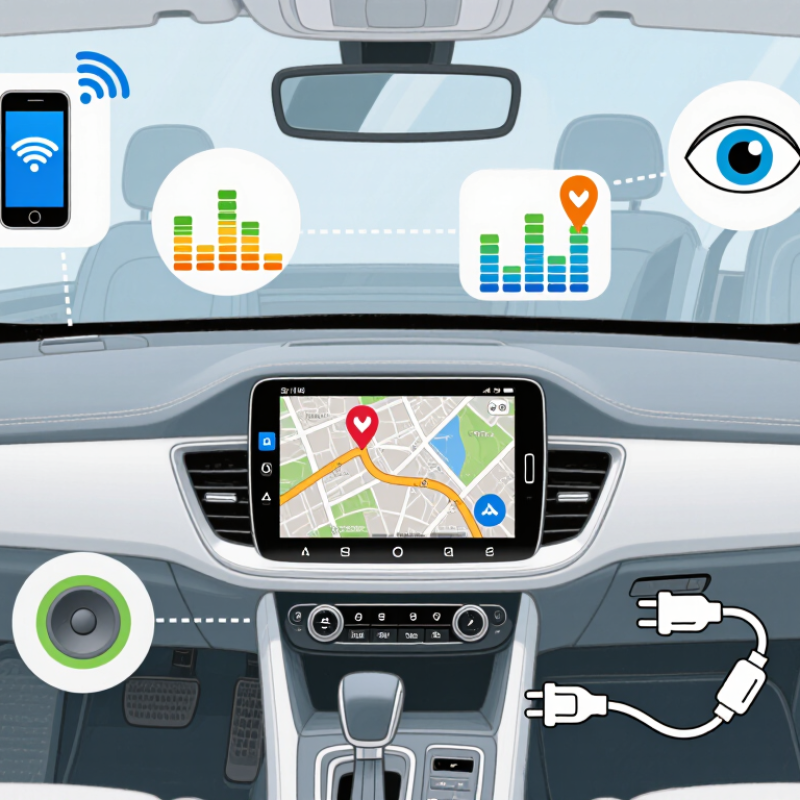
A car stereo system is a group of parts that turns audio signals into sound inside the cabin. The head unit sits in the dashboard and provides controls, a display, and connections for audio sources. Depending on the vehicle, it may also handle navigation, phone calls, or a backup camera. It is the system’s control center.
The audio signal travels from a radio tuner, phone, or other source through the head unit. The unit adjusts settings such as volume, balance, and tone, then sends the signal to an amplifier. The amplifier increases its power so the speakers can play it clearly. Some vehicles use a separate amplifier; others rely on one built into the head unit. Speakers move back and forth to create sound waves. That’s the basic chain.
Wiring, an antenna, and mounting hardware help connect the components. Microphones may support hands-free calls, while a subwoofer can add deeper bass. Not every car needs every part. A useful check is whether the head unit fits the dashboard and works with the vehicle’s wiring and steering-wheel controls. Small mismatches can mean extra adapters or lost functions. It’s easy to overlook that detail when comparing screens. A larger display alone does not guarantee better sound; speaker condition, placement, and careful setup matter too.
A 2026 car stereo should fit your daily driving, not just look impressive on a feature list. Start with phone compatibility: check whether it supports the navigation, calls, and music apps you actually use. A bright screen helps in direct sunlight, but large icons and quick response matter more than flashy animations. Try the controls while parked. Tiny touch targets can become frustrating on a bumpy road.
Sound quality depends on more than the stereo itself. Check the unit’s output and equalizer options, but also consider your existing speakers and wiring. If you listen to podcasts, clear voices may matter more than heavy bass. Prefer physical knobs for volume? That small choice can make adjustments easier without taking your eyes off the road. It is tempting to chase the longest feature list. I’d pause there; some options may go unused after the first week. Also confirm the stereo fits your dashboard and supports any steering-wheel controls you rely on. Installation details vary by vehicle, so verify them before buying.
Tips: Bring your phone to the store, test pairing, and check screen visibility from the driver’s seat. Keep your most-used controls within easy reach. A little less glare helps.
Compare common stereo-system tiers by their typical features. Equipment varies by model and vehicle; check the receiver’s specifications and your vehicle’s fitment before buying.
| Feature | Basic Replacement | Connected Midrange | Feature-Rich Upgrade | What Matters Most |
|---|---|---|---|---|
| Best suited to | Drivers who mainly need radio, Bluetooth, and USB playback | Drivers who want phone integration and a touchscreen | Drivers adding advanced audio controls, cameras, or multiple upgrades | Choose features you will use regularly, not features that only look impressive on a spec sheet. |
| Phone connectivity | Bluetooth calling and audio streaming are common; verify supported profiles and phone compatibility. | May add Apple CarPlay or Android Auto; connection can be wired or wireless depending on the unit. | May offer wireless phone integration and additional USB connections. | Confirm the exact phone platform and whether you want a cable-free connection. |
| Display and controls | Usually a compact display with physical buttons or a rotary control. | Often a touchscreen; screen size, brightness, and button layout vary. | May include a larger or configurable touchscreen and expanded camera controls. | Check daytime readability, reachable controls, and whether the screen blocks vehicle vents or buttons. |
| Audio adjustment | Basic tone controls are typical; equalizer options differ. | May provide a multi-band equalizer, balance, and fader adjustments. | May add time alignment, crossover controls, and more detailed equalization. | Advanced tuning is most useful when matching the receiver to upgraded speakers or amplifiers. |
| Amplifier and expansion | Built-in amplification can power compatible factory or replacement speakers at everyday listening levels. | May include preamp outputs for connecting external amplifiers; output count and voltage vary. | Often offers more routing and tuning options for separate amplifiers and a subwoofer. | Check RMS power, speaker impedance compatibility, and the number of preamp outputs—not peak-power claims alone. |
| Vehicle fit and installation | A single-DIN receiver has a standardized face size of about 180 × 50 mm. | A double-DIN receiver has a standardized face size of about 180 × 100 mm; some vehicles need a dash kit. | Large or floating screens may need extra clearance and vehicle-specific installation parts. | Check dash opening, wiring, steering-wheel controls, factory camera, and any factory amplifier before purchase. |
| Camera and vehicle integration | Camera input and vehicle-control retention are not guaranteed. | Some units support a rear camera and compatible steering-wheel controls with the required adapter. | May support additional camera views or vehicle data through compatible interfaces. | Confirm compatibility for your exact vehicle year, trim, and factory options. |
| Practical buying priority | Reliable connection, simple operation, and correct fit. | Phone integration, a usable screen, and needed vehicle controls. | Audio tuning, expandability, and camera or vehicle-system support. | For most buyers, fitment and phone compatibility should come before extra features. |
Buying note: “Single-DIN” and “double-DIN” describe common receiver opening formats, not guaranteed vehicle compatibility. Installation adapters and retained factory features depend on the vehicle and receiver combination.
Before choosing a car stereo, check the exact vehicle year, model, and trim. Dash openings can differ within the same model range. Measure the opening and available depth, including space behind the dashboard for plugs and wiring. A unit may fit the front opening but still hit a support bracket. The measurements look simple. They are not.
Check whether installation requires a dash kit, wiring adapter, antenna adapter, or a separate interface for steering-wheel controls. Factory amplifiers, backup cameras, and built-in microphones may need additional connections to keep working. Compare the stereo’s wiring diagram with the vehicle’s service information, rather than relying on connector shape alone. Similar plugs can carry different signals. If a fitment guide seems unclear, confirm the details with a qualified installer before buying.
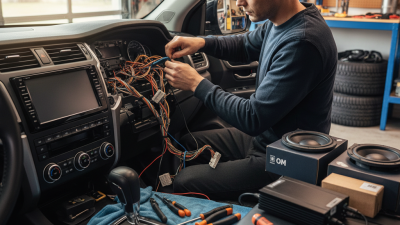
Plan for the installation itself. Disconnect the battery according to the vehicle’s manual, protect the dashboard trim, and avoid pulling wires by force. Photograph the original connections before removing anything; it makes troubleshooting less confusing later. If the stereo requires cutting factory wiring, pause and check whether an adapter is available. I would not assume every online compatibility list is current. A small trim change or optional sound package can turn an easy swap into an awkward afternoon.
Check your vehicle’s dashboard opening before choosing a stereo. The chart compares the nominal heights of common DIN faceplate sizes; both are typically 180 mm wide.
Installation check: Measure the dash opening and available depth, then verify that the required trim kit, mounting brackets, wiring adapters, antenna adapter, and any steering-wheel-control or factory-amplifier interfaces are available for your vehicle. Confirm fitment with a vehicle-specific compatibility guide before buying.
Factory-installed systems usually fit the dashboard best. They preserve steering-wheel controls, cameras, and vehicle settings. Their weakness is age: maps, menus, and phone connections may feel dated. S&P Global Mobility reported that the average U.S. light vehicle reached 12.6 years old in 2024. For owners keeping older cars, a receiver upgrade can be a practical refresh.
Single- or double-DIN receivers replace the original unit, when the dashboard allows it. Basic models focus on radio and phone audio; touchscreen versions add navigation or smartphone mirroring. They can improve daily usability without replacing speakers. But adapters and installation can add cost. Small details matter, like whether the screen blocks a vent.
Floating-screen receivers suit dashboards with limited space, while component systems upgrade speakers and amplifiers rather than the display. Components can deliver clearer vocals and stronger bass, but poor tuning may make sound harsh. J.D. Power’s U.S. Tech Experience Index tracks in-vehicle technology experiences, including infotainment usability and reliability. That is a useful reminder: more features do not always mean a better drive. A simple system may be easier to use, especially on a bumpy road or at night.
Choosing a car stereo starts with your daily driving, not a long feature list. Begin with a budget that includes installation, wiring adapters, and any dashboard trim pieces. A basic system may suit drivers who mainly listen to radio or downloaded music. Frequent navigation users may value clear phone integration and simple voice controls. If you drive an older car, check which functions your current steering-wheel controls support before buying. Small compatibility details matter.
Set aside money for sound quality only after confirming the unit fits your dashboard. A powerful stereo cannot fix worn speakers or rattling door panels. If calls sound muffled during a test, check microphone placement and cabin noise. I would not assume a higher price guarantees easier use; some feature-heavy menus feel distracting on a short commute. Compare screen readability in daylight, button access, and whether common tasks take only a few taps.
Tips: Measure the dashboard opening, photograph existing connections, and list your must-have features. Test the controls while parked, not while driving. Keep a little budget for installation surprises. One overlooked adapter can delay the whole job.